
VLDM
On-Premise Deployments. Finally simple.
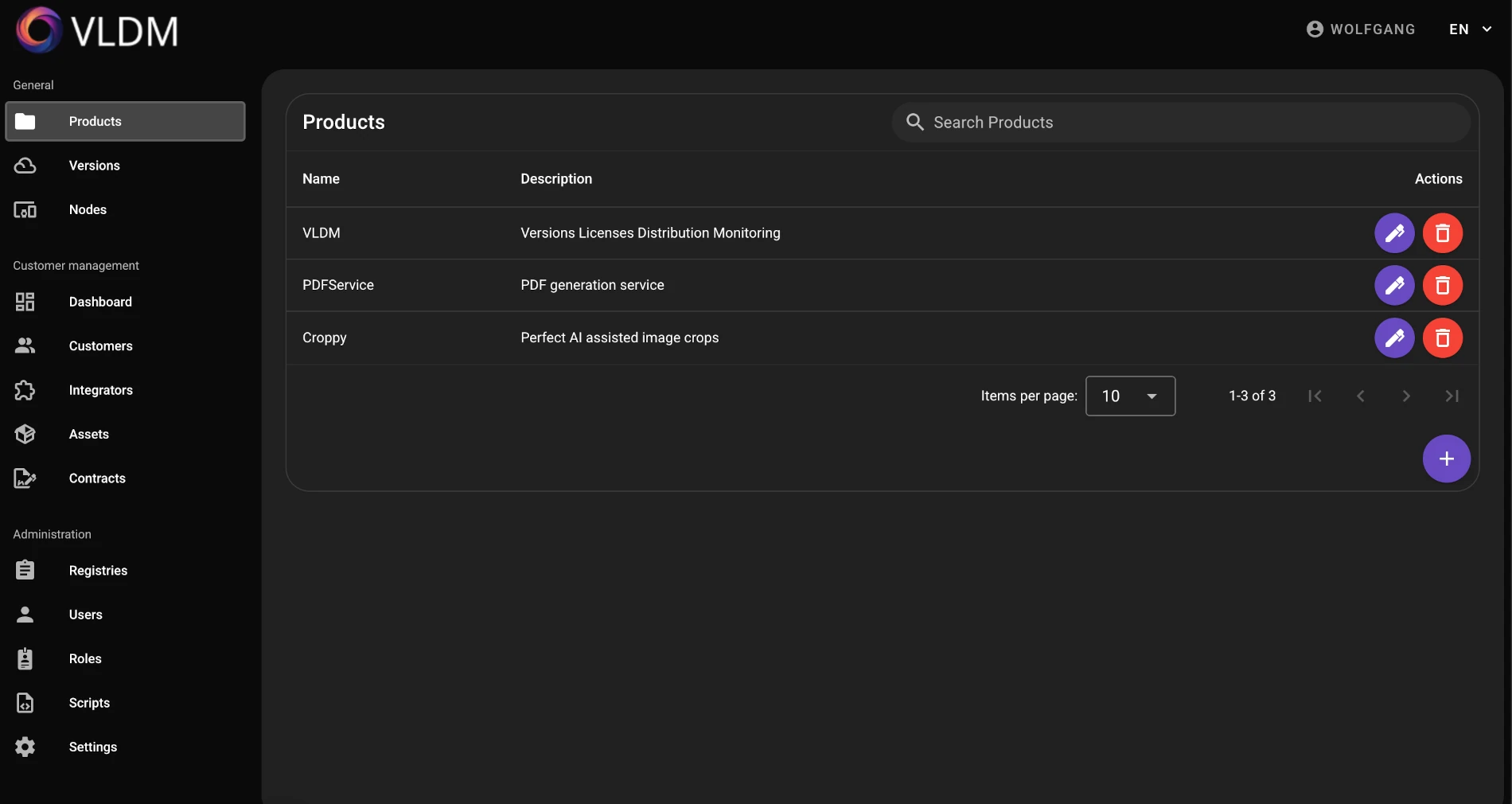
VLDM turns Docker Compose configurations into versioned product releases that you can roll out to any number of customer systems with a single command. Keep track of all installations, contract statuses, and system states at all times.
Visit WebsiteVLDM
What VLDM Can Do
Release Management
Bundle your Compose files as releases. Define versions, add release notes, and roll out updates with one click – no manual SSH or script chaos.
Deployment Overview
See at a glance which version is running on which system. Instantly identify outdated installations and bring them up to date.
Customer Management
Manage your end customers directly in VLDM. Assign customers to their systems, contracts, and products – for complete traceability of all installations.
Agent-Based Deployment
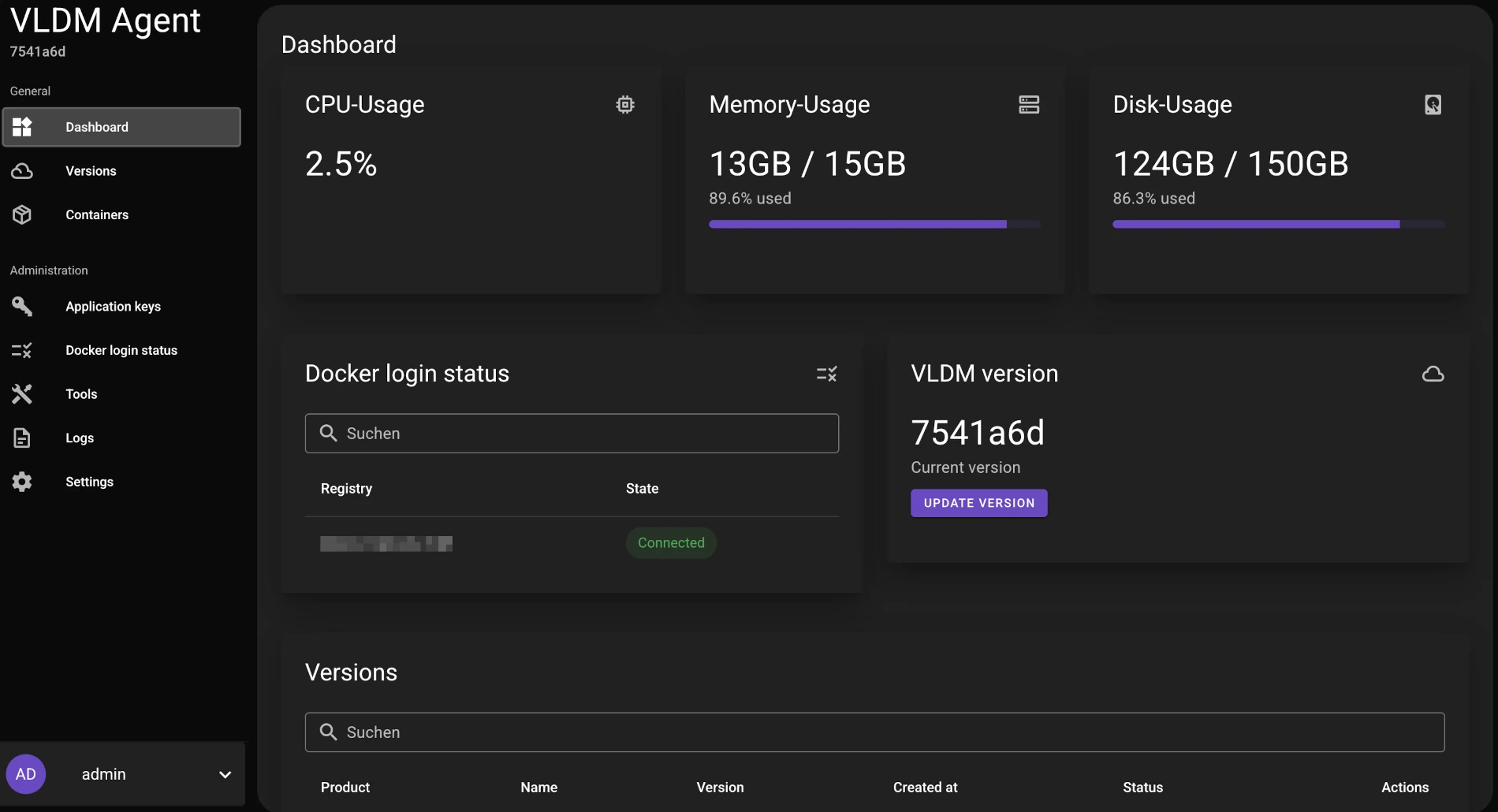
The agent runs directly on the target system and performs deployments, updates, and rollbacks locally. One-command setup for quick onboarding of new systems.
About VLDM
What Problems Does VLDM Solve?
On-premise deployments are often chaotic, manual, and hard to track. VLDM cleans that up.
- Version chaos: Don't know which version is running at which customer? VLDM shows you at a glance.
- Manual deployments: SSH into every server, copy Compose files, restart containers – that's yesterday. VLDM automates the entire rollout.
- Missing customer overview: Which customer has which contract, which system, which version? VLDM links all information together.
- Uncoordinated updates: Without centralized version management, you risk inconsistent installations. VLDM brings order to your release process.
- No monitoring: Problems on customer systems only surface when the customer calls. With VLDM, you see the state of all systems in real time.
Detailed Features
VLDM offers a comprehensive set of features for managing your on-premise deployments.
- Products & Versions: Define versions as Docker Compose files, add release notes, and build new versions on existing ones. Tag overrides via the UI accelerate the release process.
- Customer Management: Centrally manage your end customers. Each customer is linked to their assets, contracts, and installations.
- Assets & Installations: Create and manage customer installations in a few steps – set up system, connect agent, done.
- Contract Management: Link service contracts to customers, assets, and products. Keep track of durations and support scope.
- Monitoring: Each agent continuously reports system information – CPU, memory, disk usage. Detect problems before your customer notices them.
- Roles & Permissions: Fine-grained access control for your team. Define roles with individual permissions.
Who Is VLDM For?
VLDM is designed for software companies and development teams that run their products on-premise at their customers' sites. Whether you manage three installations or three hundred – VLDM gives you a central place to plan releases, monitor installations, and support customers.
- Software vendors with on-premise customers delivering Docker-based products
- IT service providers managing customer systems remotely
- Companies with distributed locations and their own infrastructure
VLDM Agent
The agent runs directly on the target system and performs deployments, updates, and rollbacks locally. Through its own web interface, you can configure network settings, manage services, and stream logs in real time. A support mode enables quick remote access when issues arise.